Add Content to Tools and Use in AI Evaluations
You can now upload your own content (documents and web sources) for each tool in an initiative. These documents flow directly into the AI evaluations in the shortlist and use-case assessment. This allows you to enrich your AI evaluations with exactly the information that is relevant for your evaluation.
What is content on a tool?
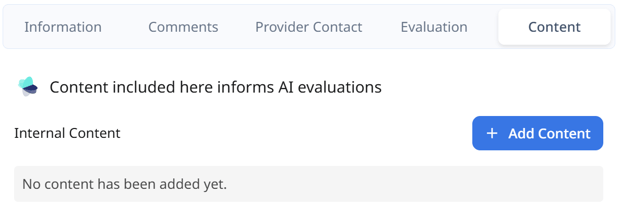
Each tool in Stackgini now has a "Content" section. This is where all additional information is collected that our system uses for the AI-powered assessment of the tool. Here you will find content provided by vendors through the vendor contact process and the internal content that you have uploaded yourself:
External Content
External content comes from the Stackgini database (for example product pages and manufacturer documentation) and is provided by vendors through the vendor contact process.
Internal Content
Documents and web URLs that you upload yourself to a tool. This content is visible exclusively in your tenant and is used only for your own evaluations.
Adding web sources
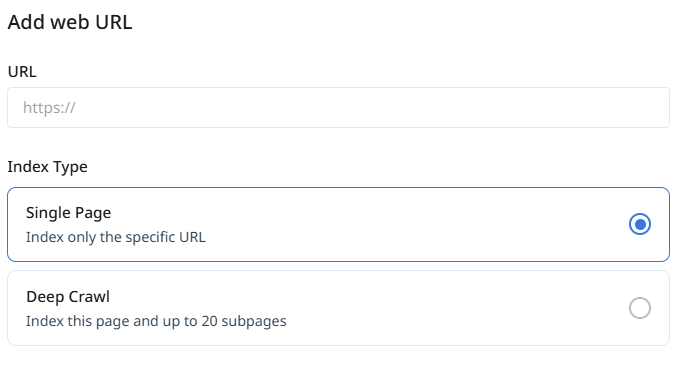
You can now add your own web sources for each tool under Content. Simply enter the URL from which you want to add content. You then have two options:
- Single page: This option retrieves only the content of the specified URL.
- Deep crawl: This option additionally retrieves up to 20 subpages.
Uploading documents
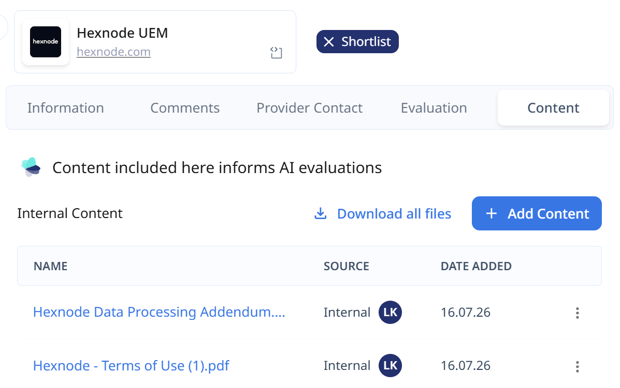
You can now add your own documents for each tool under Content. This includes, for example:
- Internal documentation for tools you already have in use
- Quotes and pricing information from vendors that you have collected outside of Stackgini
- Data Processing Agreements (DPA), which you have collected outside of Stackgini
- Product documentation, whitepapers, or responses from procurement processes that you conducted outside of Stackgini
How your own content flows into the AI evaluations
All added content is available to the AI evaluation in the shortlist and use-case assessment. The system takes the content into account when evaluating tools against your requirements.
This is particularly valuable when you conduct vendor contact or RFI processes outside of Stackgini: simply upload the materials you received from the vendor into Stackgini. This way you also receive a comparable AI evaluation for these tools, on the same basis as for tools that go through the RFI process directly in Stackgini.
Re-triggering AI assessments
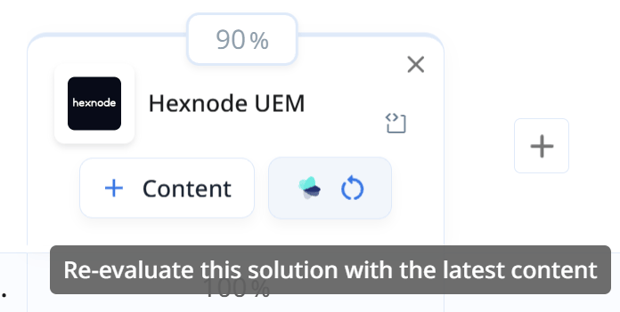
If you subsequently upload additional internal content to a tool, you can trigger the AI evaluations again. The evaluation will then be updated based on all available content, including your newly added content.