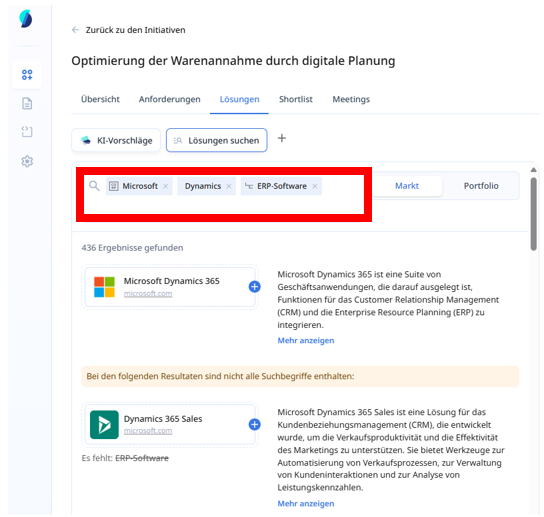
If you already have a specific software, category or vendor in mind for your initiative, the manual solution (Browse solution) search in Stackgini offers a quick way to add these solutions.
This is how it works:
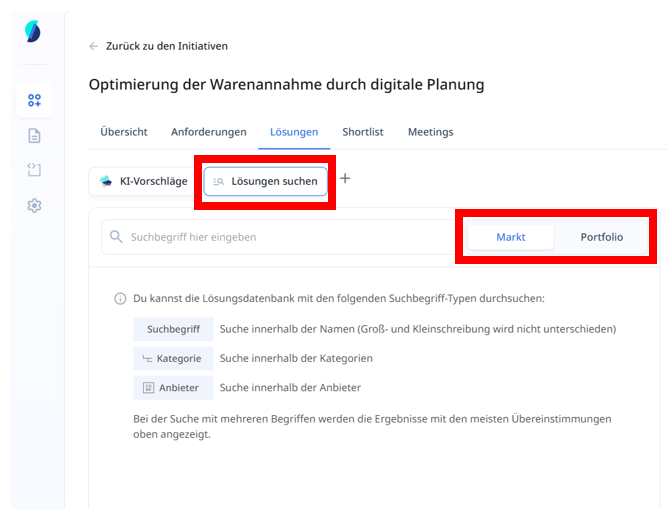
Decide first if you want to browse the Market or Portfolio.
Then, three search term types are available to you in the manual solution search:
- Keyword: Search directly for the name of a solution, e.g. Dynamics. It is not case-sensitive.
- Category: Filter by software categories such as CRM software or ERP systems.
- Provider: Limit the search to specific providers such as Microsoft.
Combination of search terms
You can combine several search terms. Stackgini first shows you solutions that contain all search criteria. This is followed by results that only fulfil some of the search criteria.