Content:
- How are Stackgini AI suggestions generated?
- How do I compare AI suggestions at a glance?
- How do I use Stackgini correctly to get the most accurate AI suggestions?
1. How are Stackgini AI suggestions generated?
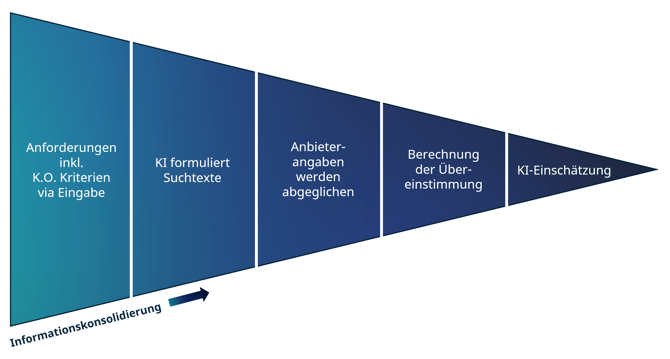
To ensure greater confidence when dealing with our AI, it is first helpful to understand how the system proceeds in order to arrive at the AI suggestions.
The process can be visualised schematically as follows:
1.1 Requirements including Must have criteria
Good use cases are the basis for good AI suggestions. It is therefore important that the description of use cases is as precise as possible.
➡️Click here for the article ‘How to formulate requirements correctly’
Caution: If the descriptions are too brief, misleading or too generic, the system has insufficient input for the next steps, so that assessments are incorrect or not possible at all.
1.2 AI formulates search texts (greatly simplified)
Based on the descriptions, the Stackgini AI interprets your needs and compares thisrequirements with the information provided by suppliers.
This step can be seen as a kind of ‘prompting’.
For example, the following requirement:
"The software sends real-time notifications to the support team for new customer requests or updates to existing requests to ensure timely processing."
could be used to create a prompt:
"Search for references to features within Stackgini's solution documentations that allow users to send real-time notifications to the support team for new customer requests or updates to existing requests. Write a justification as to why the requirement can be solved with the available features of the product and reference the source in the vendor documents for each of your statements [...]"
Caution: This illustration is a highly simplified explanation of our AI system. It is only intended to help with the interpretation of the AI assessments.
1.3 Solution documentations are identified and checked
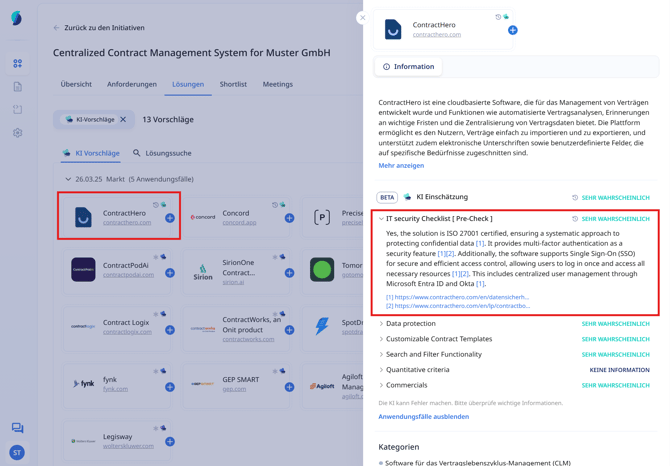
Based on this information, the relevant solution documentations are identified and checked. You can view the results in Stackgini by opening a use case in the suggested solutions. There you will also see the corresponding sources.
1.4 Calculation of the match
As can be seen in the screenshot above, the Stackgini AI takes over the assessment of requirements fulfilment. The match between sources and requirements is evaluated so that use cases receive an assessment with corresponding AI confidence.
The Stackgini AI takes over the categorisation ‘How likely is the use case covered by the given solution’ based on the available data from on a given solution.
The reasonings and explanation, so to speak the AI thought process based on the sources, can be found in the drop-down menu of the respective use case (see above).
1.5 AI Assessment
While use cases are evaluated separately, the overarching AI assessment provides a overall assessment.
The Stackgini algorithm sets the individual probabilities in relation to each other and takes into account overarching information about the initiative, such as knockout criteria.
The result is a comprehensive AI assessment for your evaluation for each solution.
2. How do I compare AI suggestions at a glance?
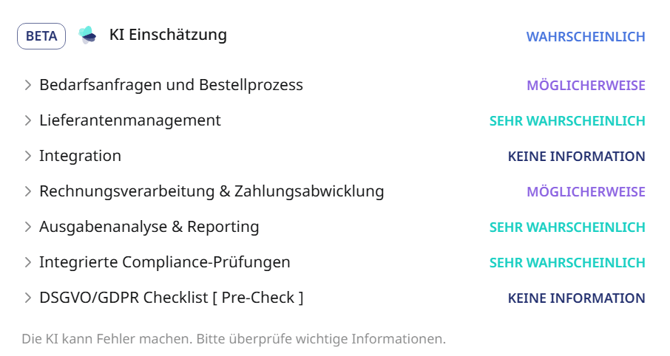
In the solution overview, the AI assessments are shown by small icons that are broken down as follows and represent the overall assessment:
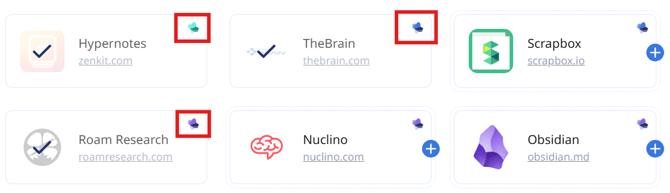
 = Very likely
Based on the matched use cases, the AI has a high confidence that the solution is relevant for the initiative, as it is likely to cover many needs.
 = Likely
The AI could not validate all use cases with the given data, which results in a slightly lower confidence level.
 = Possibly
The AI may have found little information regarding the coverage of the use cases, meaning they cannot be clearly substantiated based on the data.
 = No information
The AI either found no information on the use cases or some use cases were rated positively while others were rated negatively (mutual exclusion occurs).
 = Unlikely
The AI has determined that, based on the information provided by the provider, the solution is probably not suitable for your needs.
The overall assessment in the form of the corresponding icon is the total of all evaluated use cases.
3. How do I use Stackgini correctly to get the most accurate AI suggestions?
There are two points to bear in mind so that you can achieve the best possible results and maximise your benefit from Stackgini.
1. Quality of the use case and requirements descriptions
Formulate your descriptions in a clear and structured way by describing what the software should do and what purpose it serves - preferably in the format: ‘The software should do [X] to achieve [Y].’
Pay attention to the distinction between functional and non-functional requirements and prioritise them carefully in order to find the right solution.
We have written a guide on how to successfully define use cases and requirements:
➡️Click here for the article ‘How to formulate requirements correctly’
2. Have new use cases reassessed
Occasionally, new use cases arise after the initial search has been started. In this case, make sure that you restart the solution search and that all use cases have actually been re-evaluated.
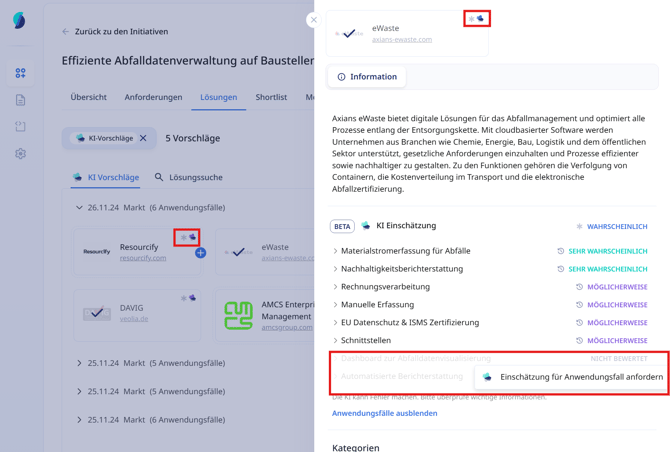
A small star or a stopwatch next to the symbol indicates a missing evaluation of a use case. In this case, re-request the AI assessment for the respective use case: