Content:
- Overview: When internal valuations are required
- Step-by-step to internal evaluation
- Rating scale: What do the symbols mean?
- Evaluation history
1. Overview: When internal valuations are required
An internal assessment is recommended if:- You want to document deviating assessments from the AI assessment
- You want to document deviating assessments from the provider self-assessment
- You want to document the internal assessment in principle
2. Step-by-step to internal evaluation
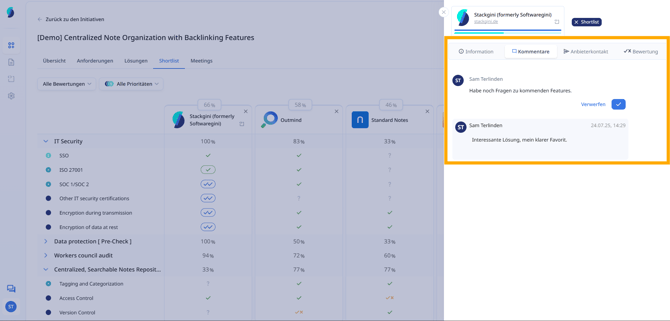
a. Internal comments
In the evaluation view, team members have the opportunity to add internal notes or queries via a comment field. These notes are only visible internally, are never shared with providers and support the joint decision-making process.
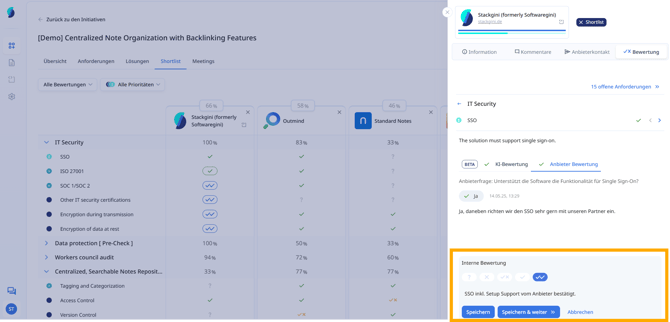
b. Record internal evaluation per requirement
Use the rating scale to assign an internal assessment. To do this, click on the corresponding symbol under ‘Internal assessment’ and add a comment if necessary.
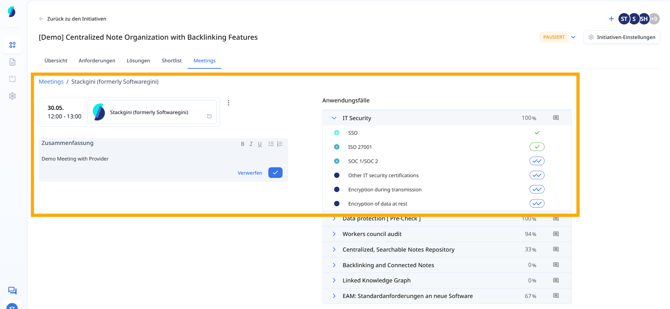
c. Document internal evaluation during meetings
In meetings, you can record content on linked requirements and evaluations directly for each provider under ‘Meetings’. This allows you to keep track of all relevant data in the meeting with the respective provider.
3. Rating scale: What do the symbols mean?
Reviews made internally by the user (internal reviews) always have a margin.
Symbol |
Meaning |
 |
No evaluation is (yet) possible.
|
 |
Requirement not fulfilled from the perspective of the internal user.
|
 |
Rated as partially fulfilled by the internal user.
|
 |
Rated as fulfilled by the internal user.
|
 |
Rated by internal users as Excellent / Exceeds expectations |
4. Evaluation history
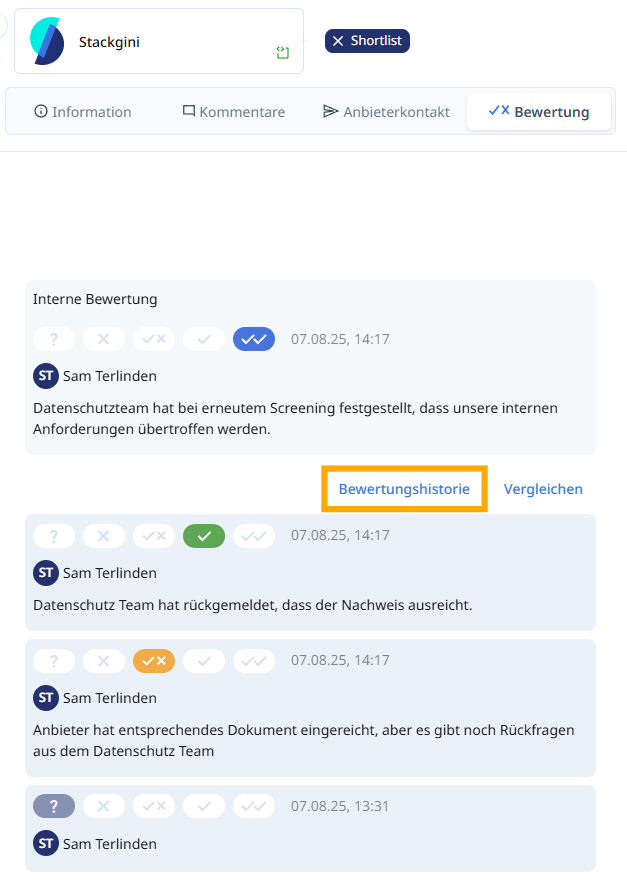
Stackgini automatically documents each submitted rating with a timestamp, rating status and the name of the rating user. This makes it possible to transparently track when a rating was made or adjusted at any time - including all previous ratings.
The history shows all changes in chronological order, enabling complete tracking of internal assessments, for example in the event of team consultations or subsequent queries from departments such as IT security, data protection or purchasing.